Review health and safety
Review your project's health and safety position from the Health & Safety tab on the project home — key metrics, registers, and outstanding actions.
Audience
This guide is designed for project manager.
Steps
Step 1: Open the Health & Safety tab
On the project home, select the Health & Safety tab; the health and safety overview for the project loads automatically.
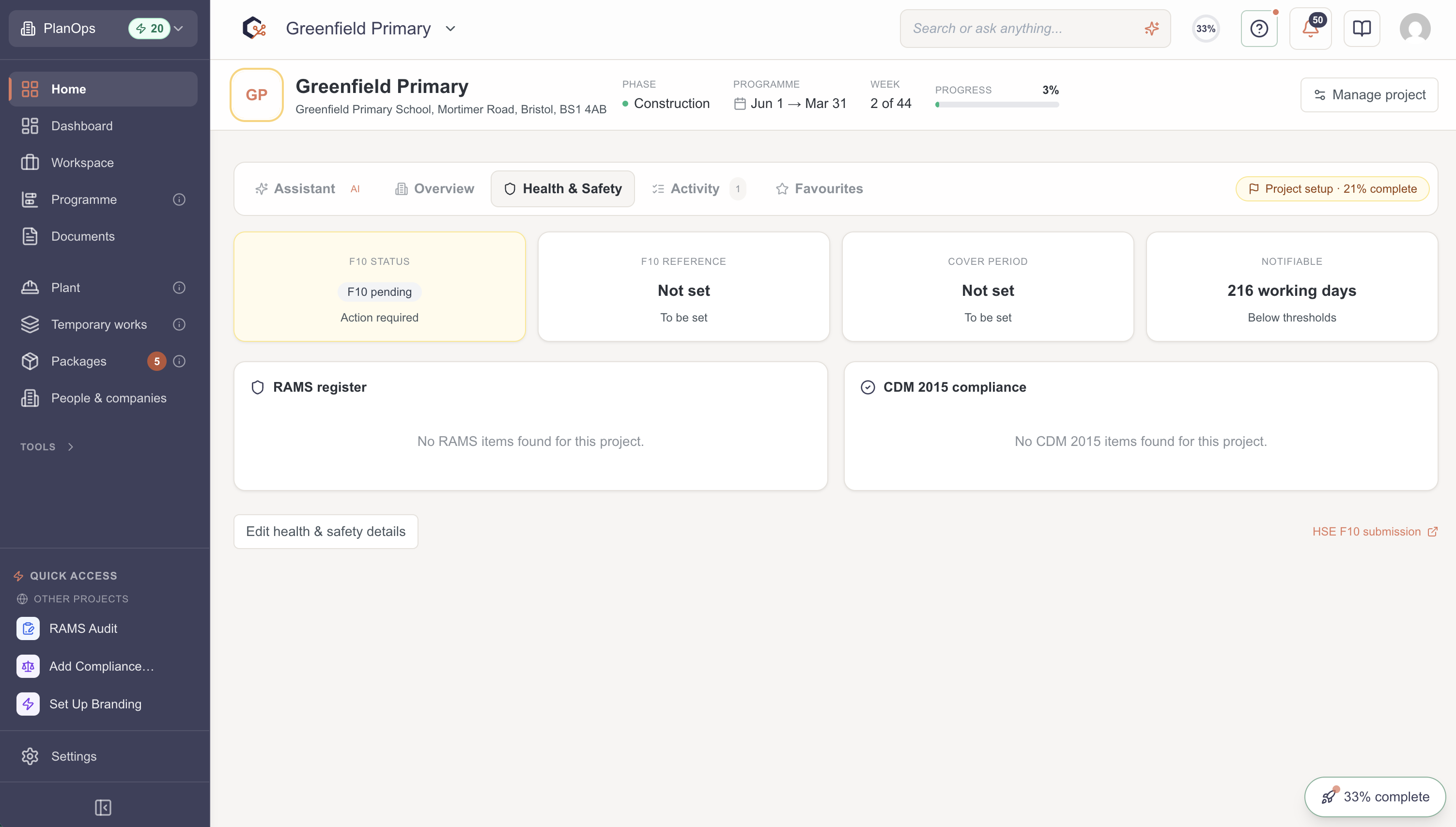
Step 2: Review health and safety metrics
Review the headline safety metrics and indicators to understand the current position and any areas needing attention.
Step 3: Access health and safety forms and registers
Open the related health and safety forms and registers to record inspections, incidents, or other required information.
Step 4: Follow up on outstanding actions
Review and action any outstanding health and safety items so the project stays compliant and risks are managed.
Related Guides
Last updated: 2026-05-31T00:00:00.000Z