Find and check a RAMS
Find a RAMS (Risk Assessment and Method Statement) in your project and check its details, what stage it's at, and what it's linked to.
Audience
This guide is designed for project manager.
Steps
Step 1: Open the project workspace
Go to your project's workspace. All project items, including RAMS, are listed here.
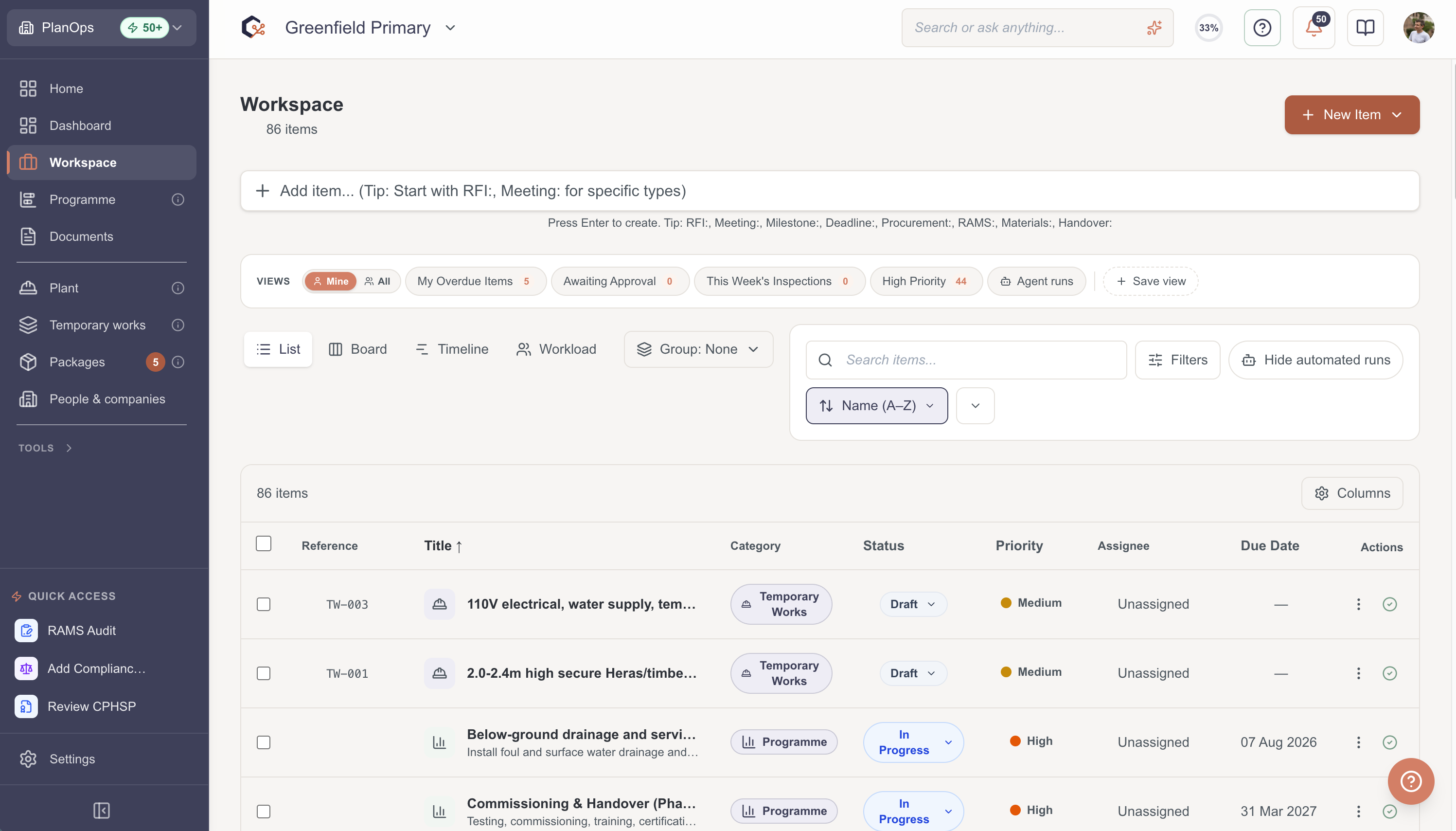
Step 2: Find the RAMS you need
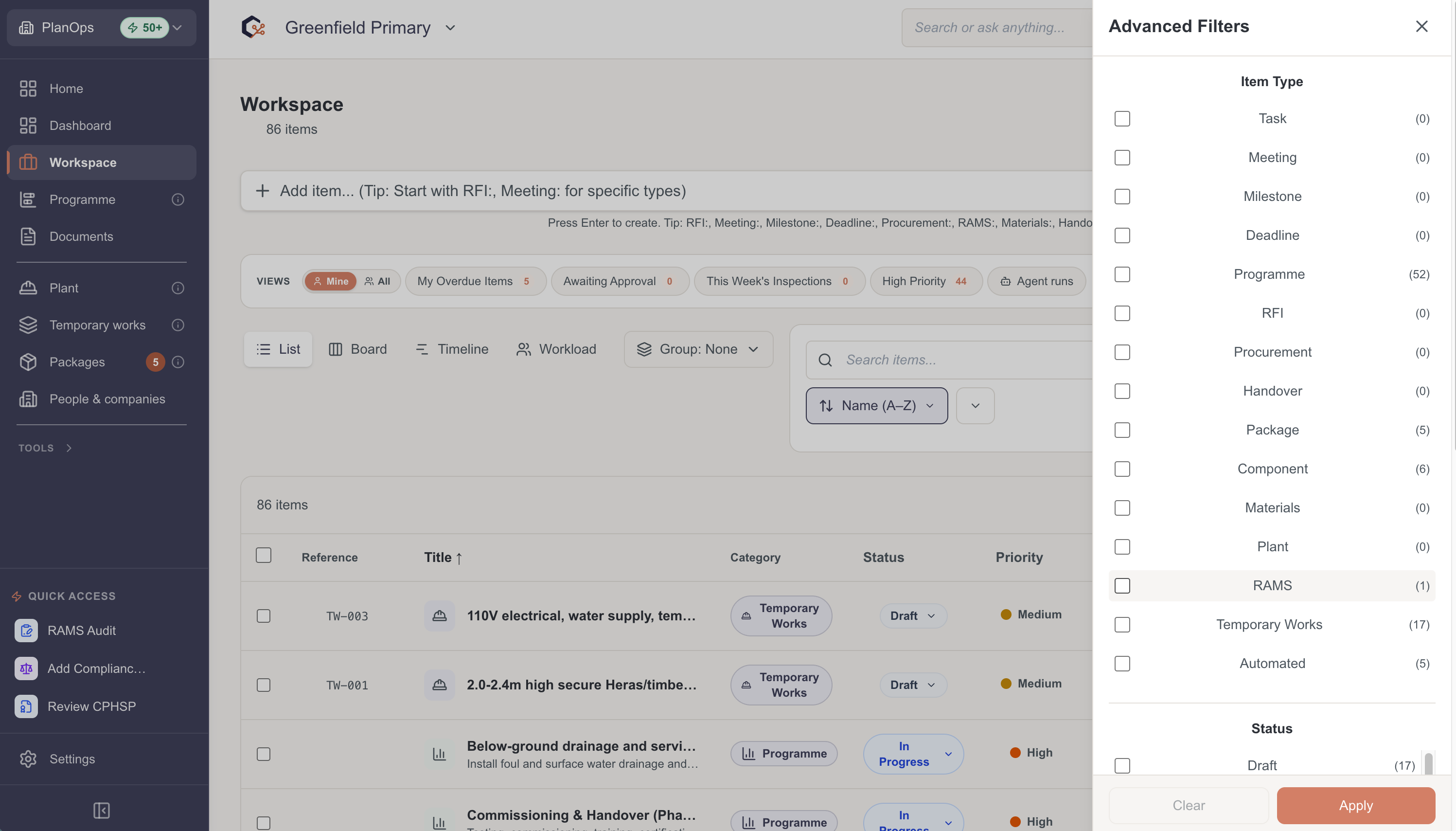
Search for the RAMS, or filter the list by item type or reference number to narrow it down.
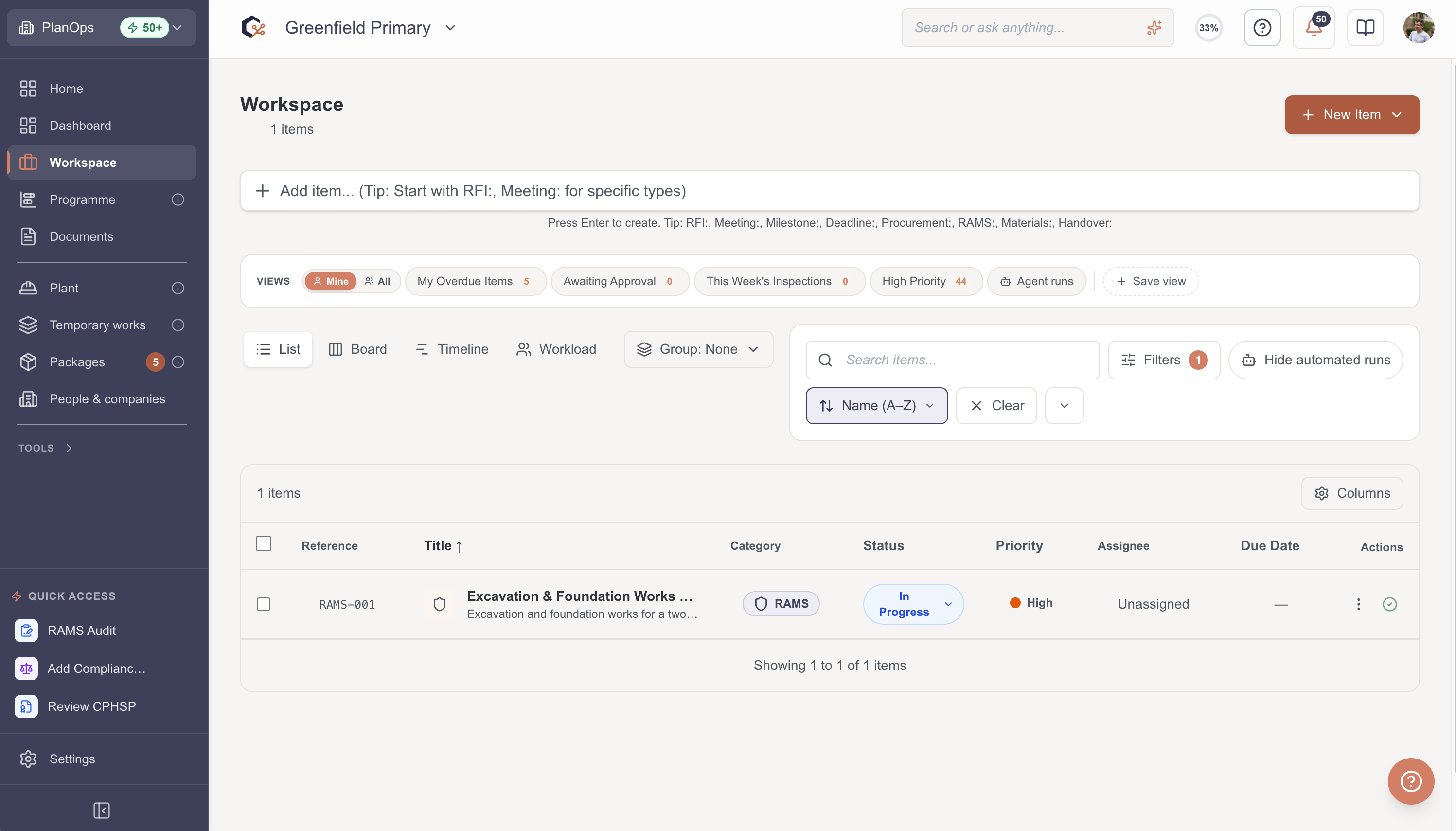
Step 3: Open the RAMS
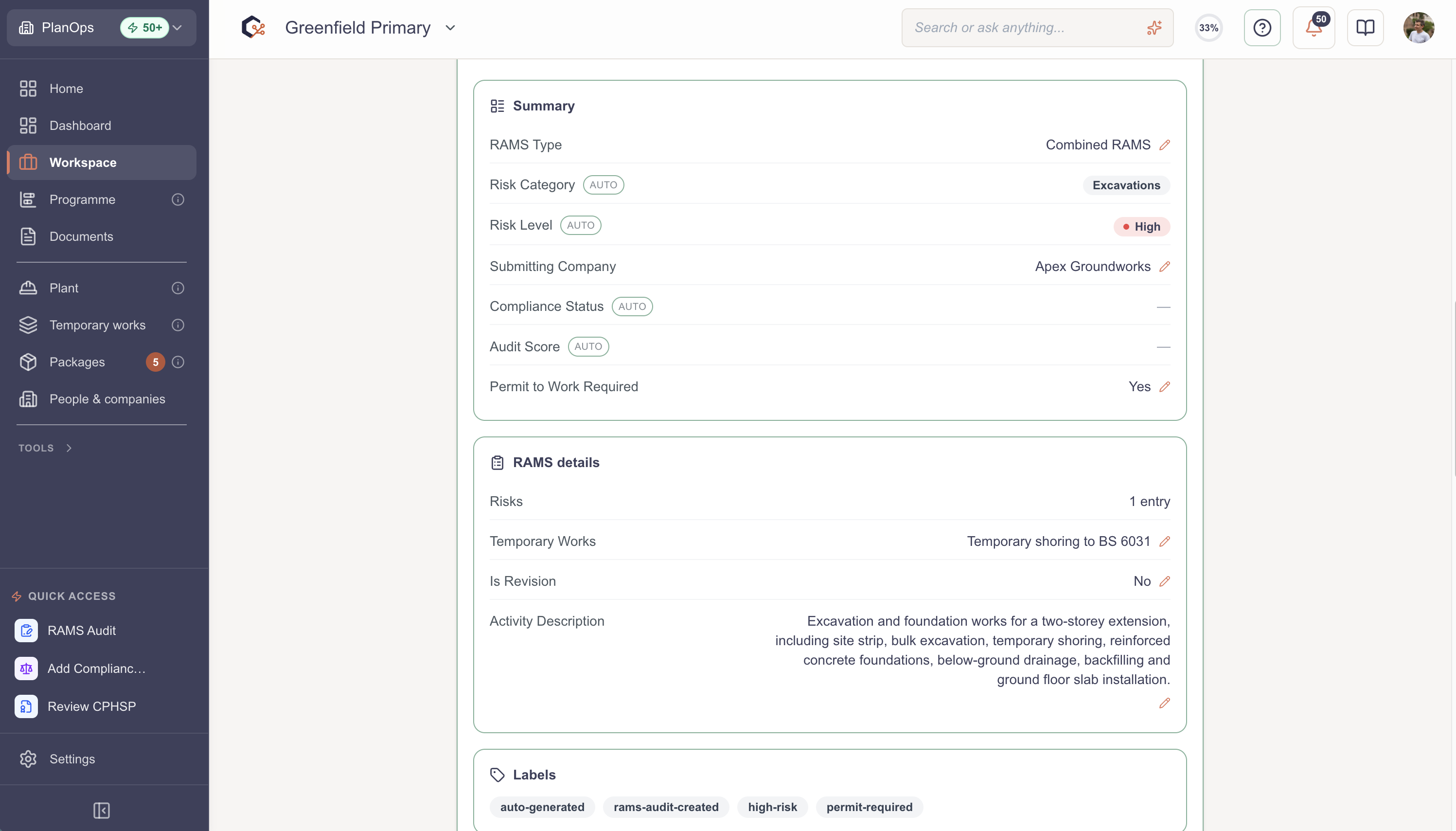
Select the RAMS to open it. This shows all its details and anything it's linked to.
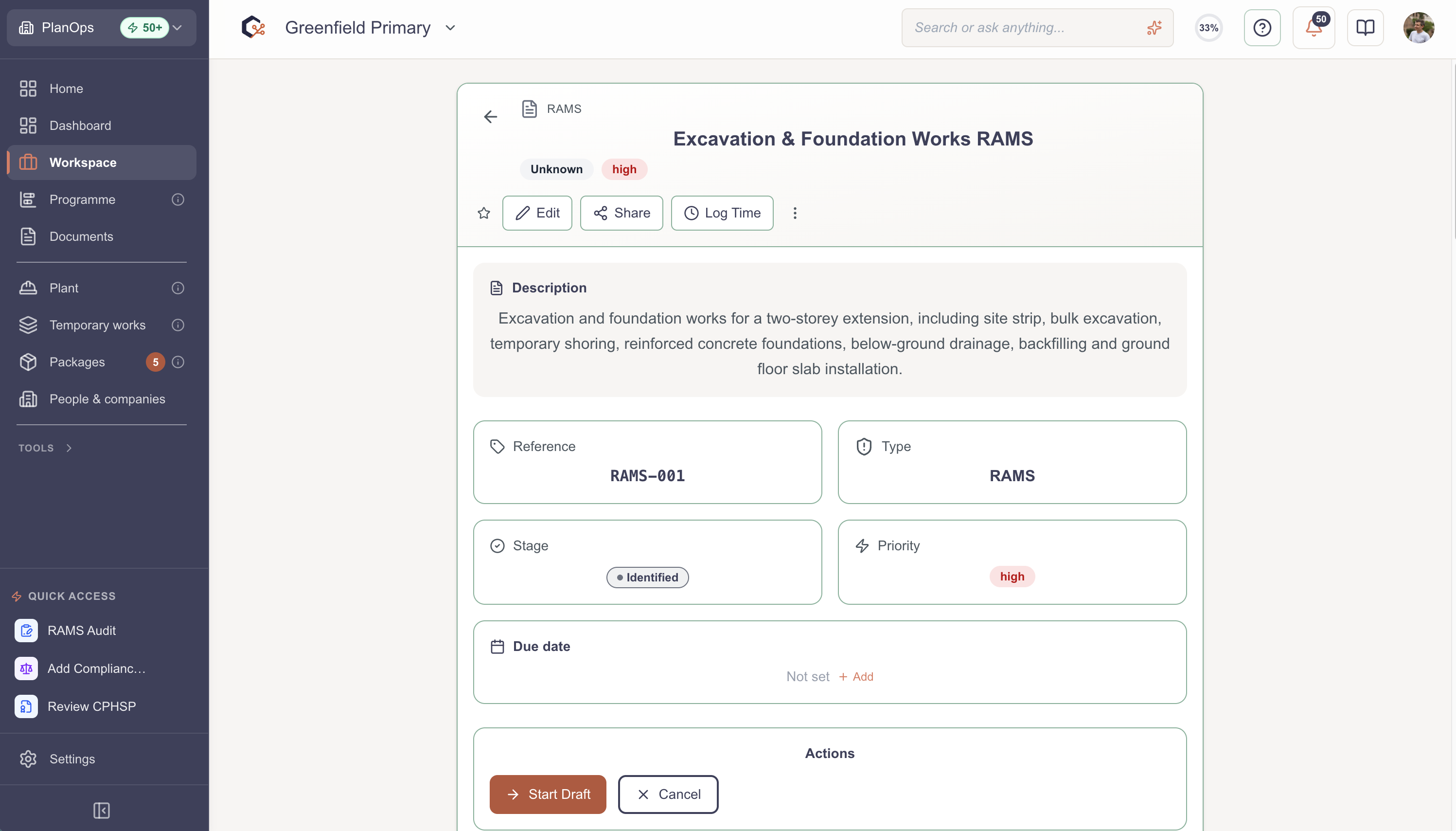
Step 4: Check the details and stage
Read through the key details and check what stage it's at, so you know where it is in the review and approval process.
Step 5: Check the RAMS-specific sections
Scroll down to the RAMS sections, such as Associated Risks, to see the risks and opportunities linked to this RAMS.
Related Guides
Last updated: 2026-07-04T00:00:00.000Z