Manage your form tasks from one dashboard
See every form task on your project in one place, sort out what needs doing first, and issue, reissue, or bring back forms as needed.
This guide is designed for project manager.
Steps
Step 1: Open the Forms Dashboard
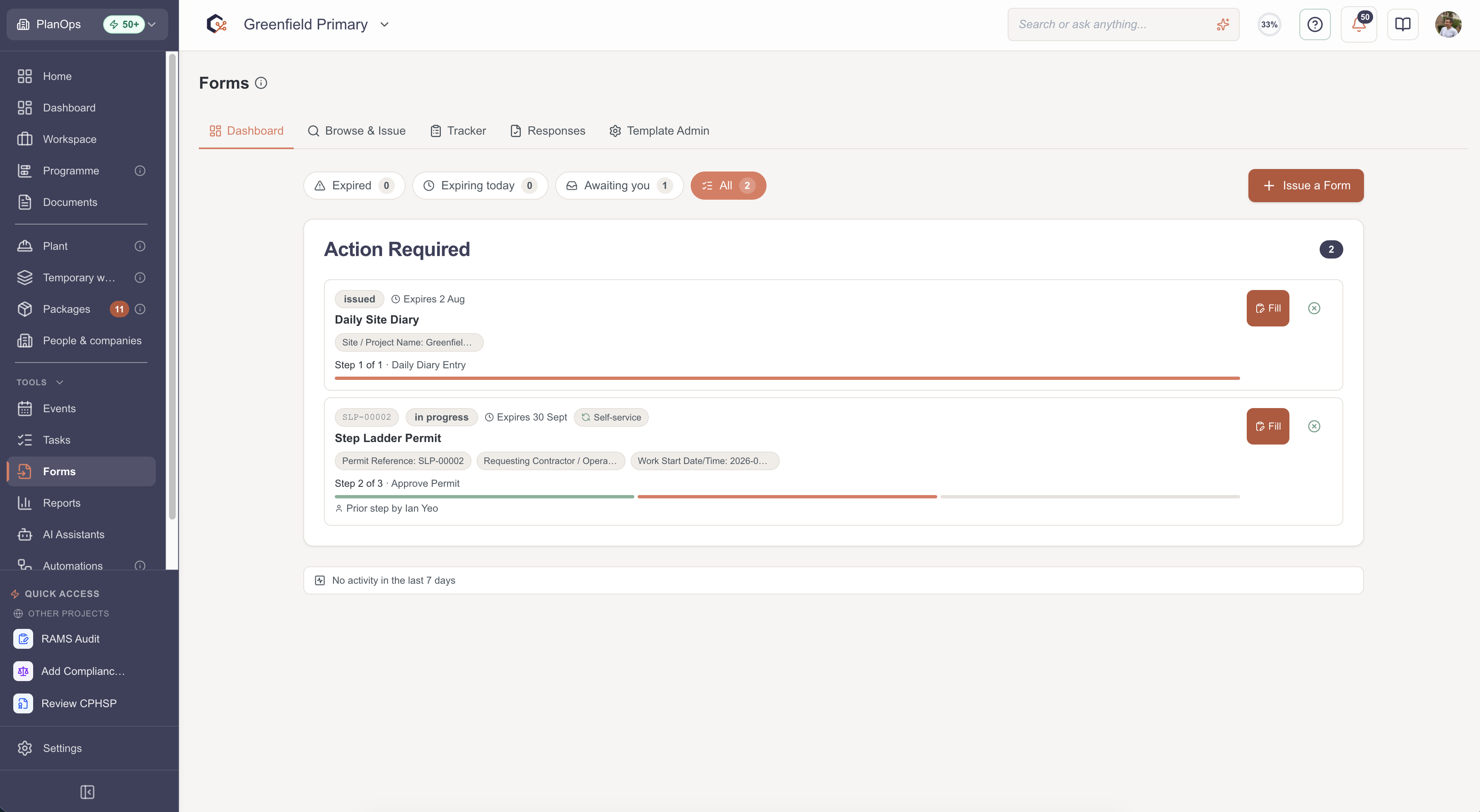
Go to the Forms Dashboard for your project to see an overview of every form and its current status.
Step 2: Filter by what's urgent or assigned to you
Use the filters — overdue, due today, awaiting you, or all — to focus on the forms that need your attention most.

Step 3: Check each form's status
Scan the cards to see each form's title, status, due date, and how recently it was updated.

Step 4: Open a form from the dashboard
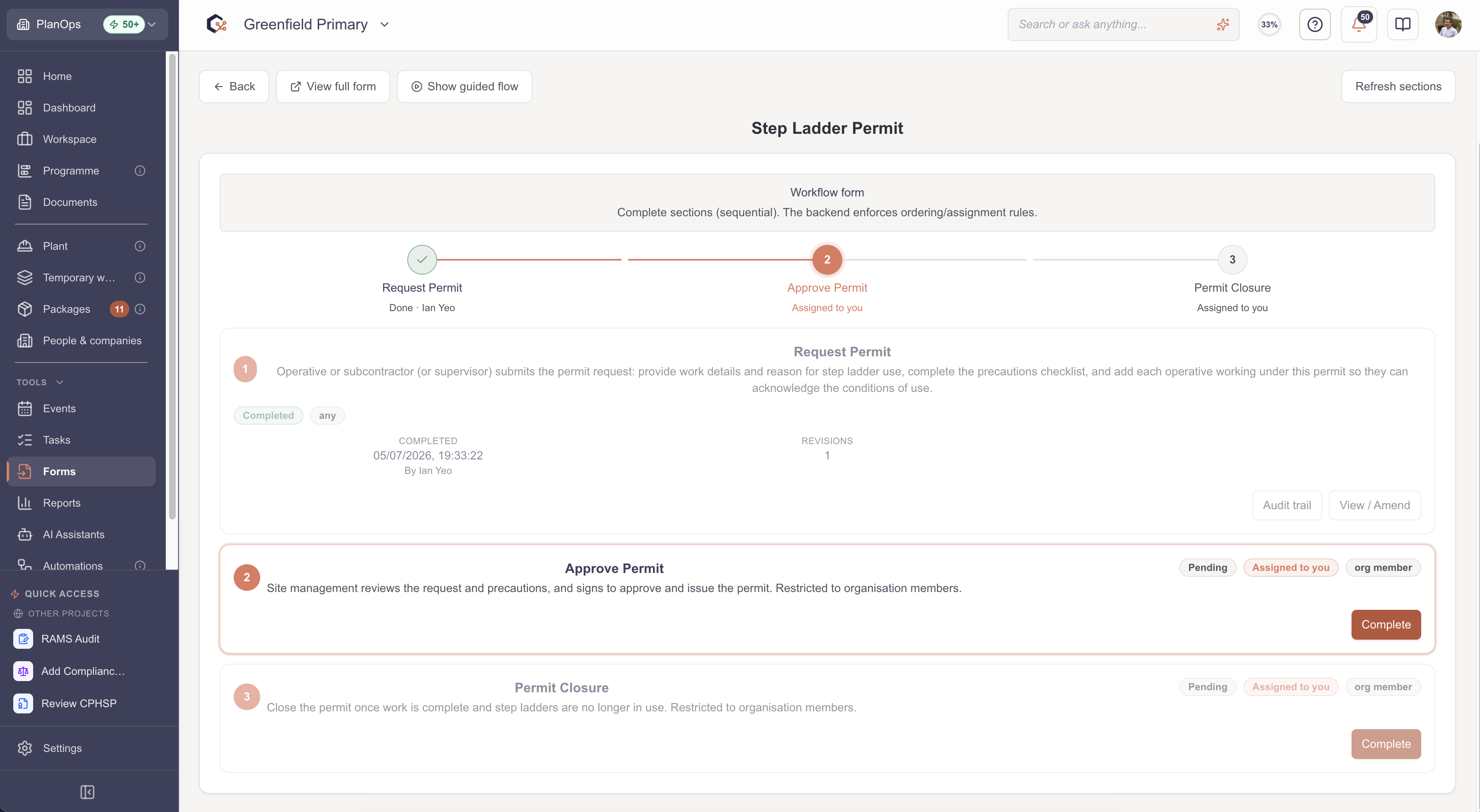
Select a form card to open its full details and review or update it.
Step 5: Send a new form from the dashboard
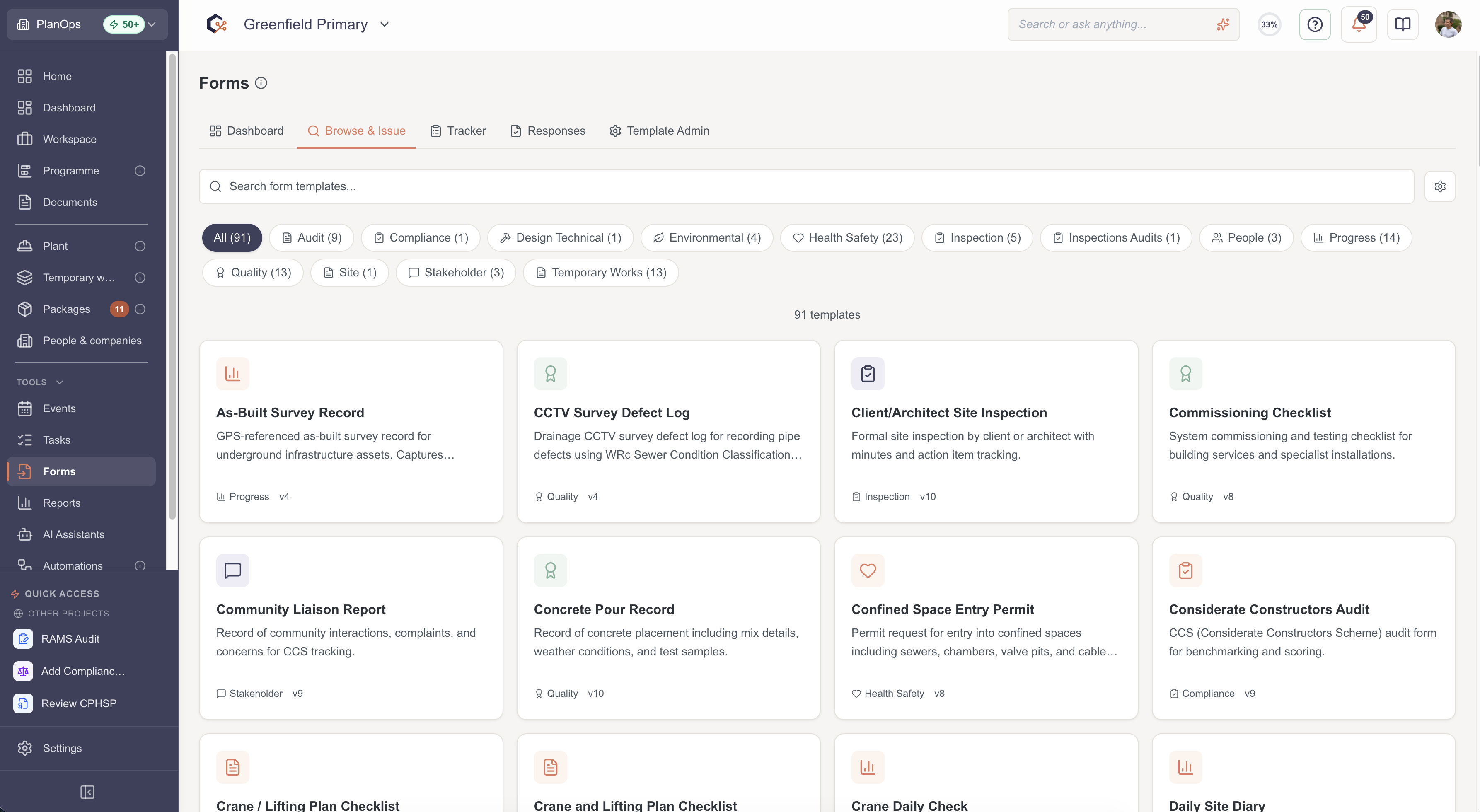
Use the issue form option to start a new form for the project and send it to the right person or team.
Step 6: Dismiss forms you don't need to track anymore
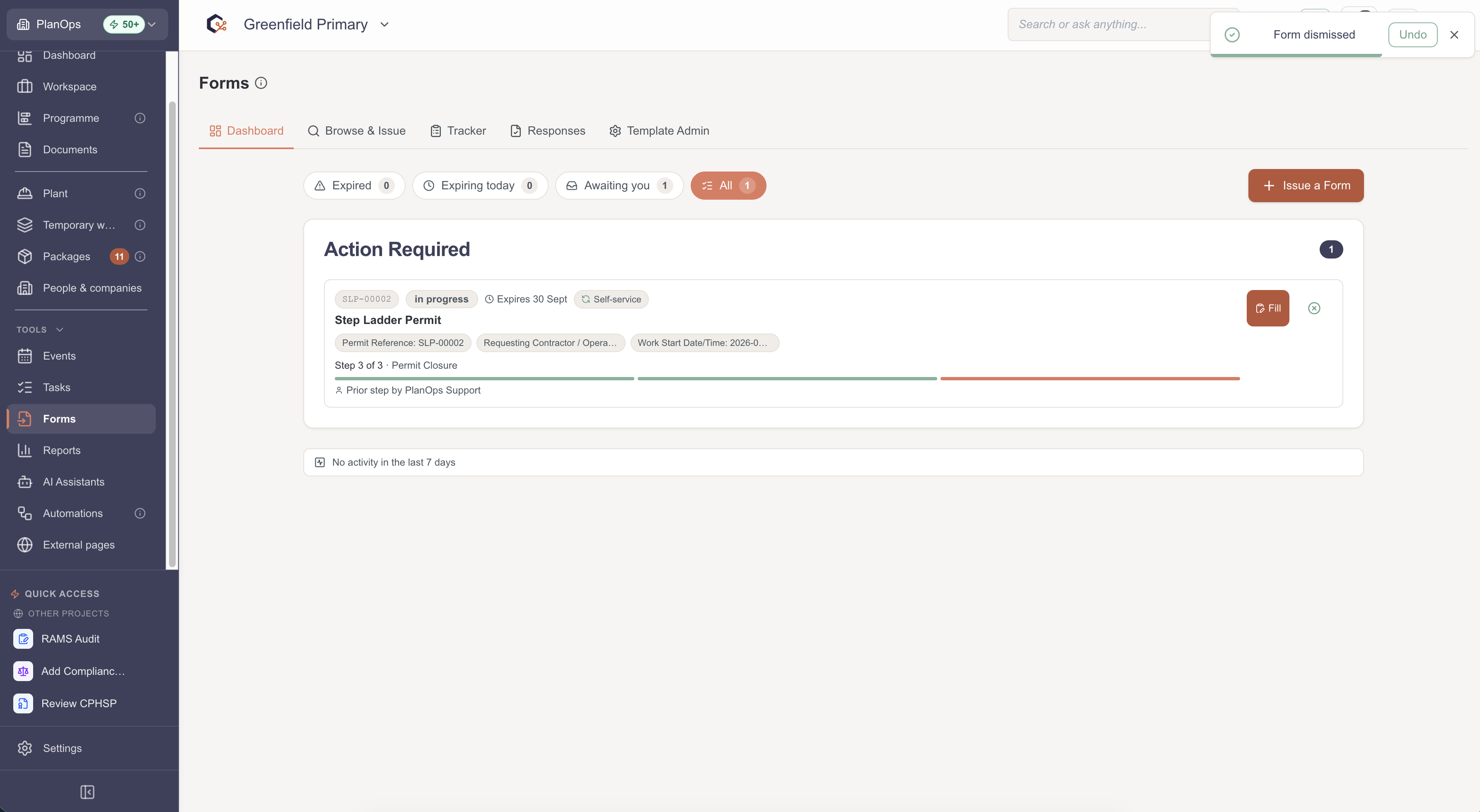
Select dismiss on a form card to take it off your active list. Its history stays available elsewhere if you need it later.

Step 7: Bring back a form you'd dismissed
Use the restore option (in the top right hand corner) on a recently archived form to bring it back onto your active dashboard.
Related Guides
Last updated: 2026-07-04T00:00:00.000Z