View CDE connection status and last sync
Review which Common Data Environment (CDE) sources are connected to your project or organisation and when they were last synchronised.
This guide is designed for project manager.
Steps
Step 1: Open the documents page
Navigate to the documents page for your project, where connected CDE sources and their sync status are displayed in a compact status strip at the top of the documents list.
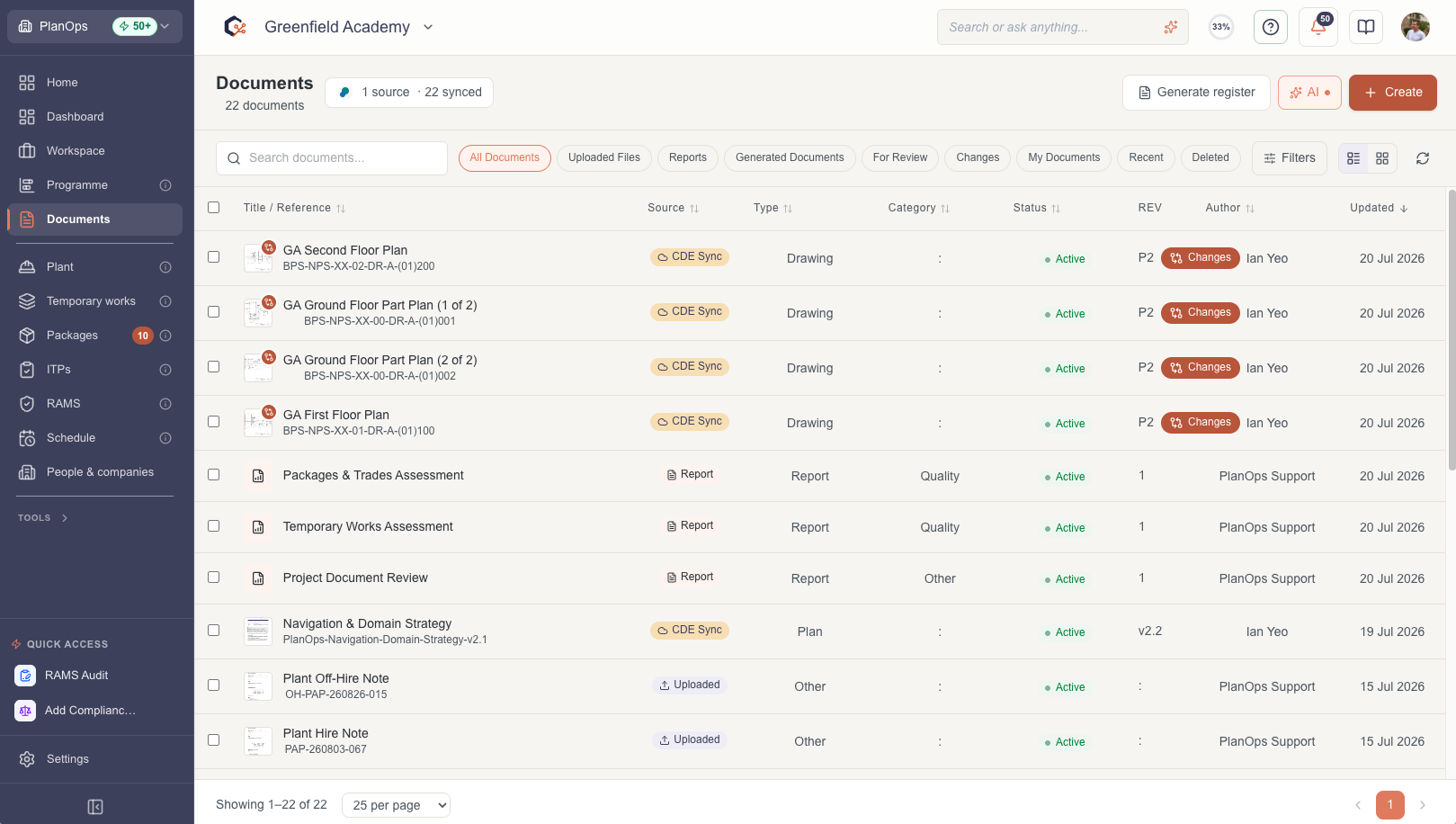
Step 2: Identify connected CDE providers
Look at the CDE connection indicator strip to see each connected provider, identified by its logo and brand colour (for example Trimble Viewpoint, Autodesk CC, Procore, Oracle Aconex or SharePoint).
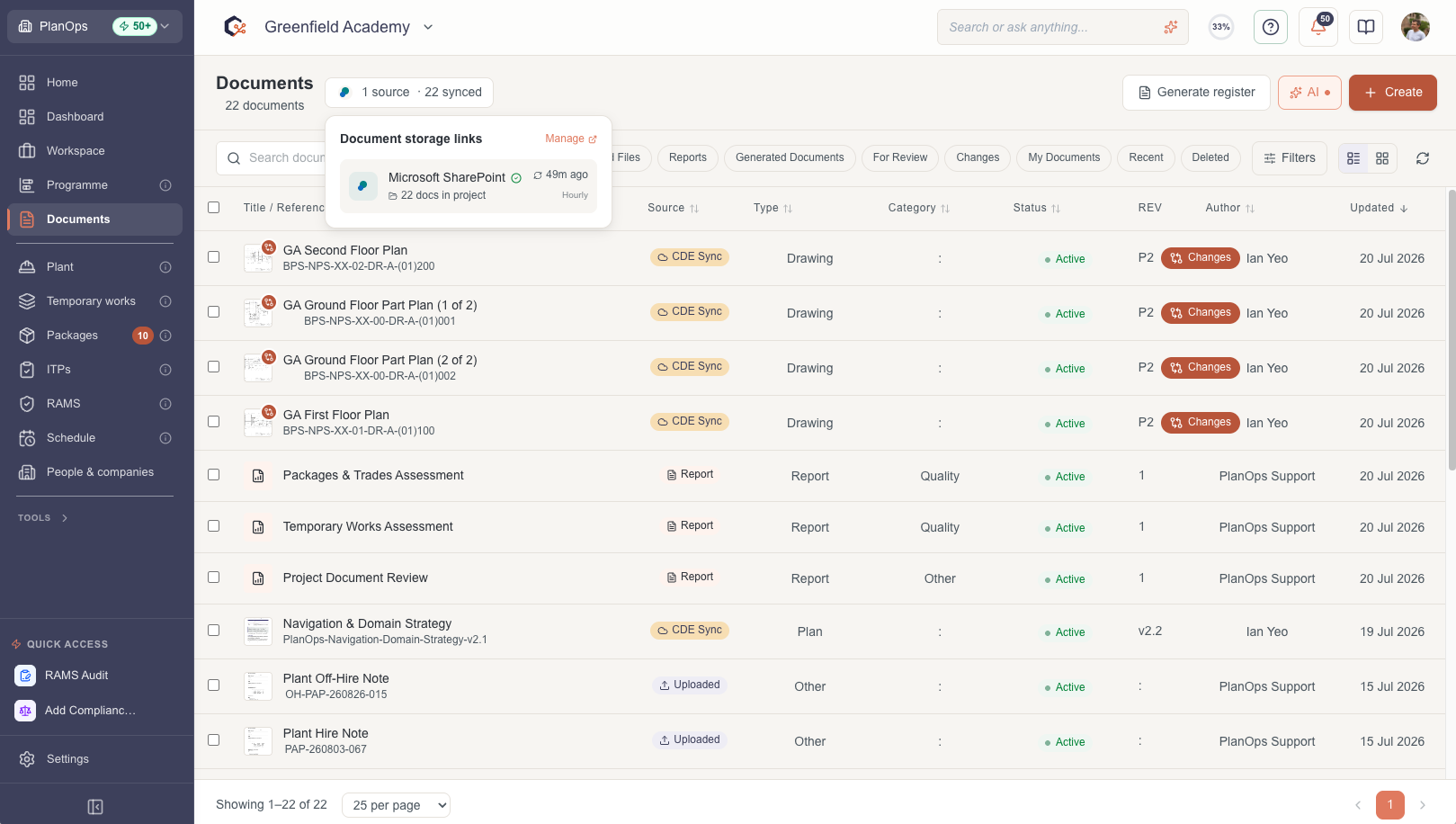
Step 3: Review last sync times and statuses
For each connected CDE source, review the last synchronisation time and status icons, so you can quickly see which sources are up to date, which are still syncing and which may require attention.

Step 4: Use status information to plan your work
Use the connection and sync details to decide when to review imported documents, chase missing data or coordinate with your team before relying on the latest CDE updates.

Last updated: 2026-07-13T00:00:00.000Z