Review and discuss a project report
View a detailed project report, download it as a PDF, review previous versions and collaborate with your team using comments and sharing options.
This guide is designed for project manager.
Steps
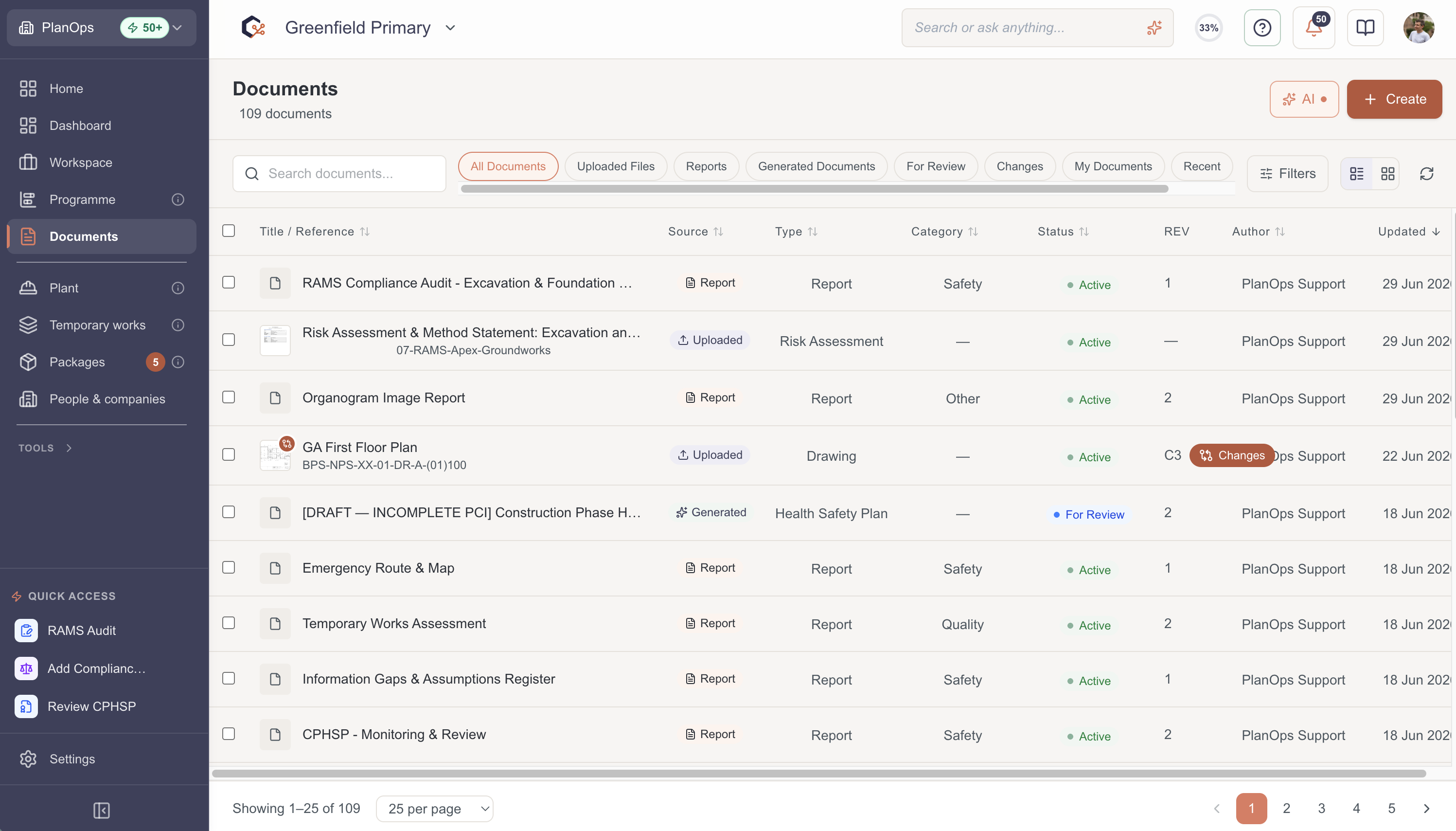
Step 1: Open the report detail panel
From the reports list, select the report you want to review to open the report detail panel with its full content and metadata.
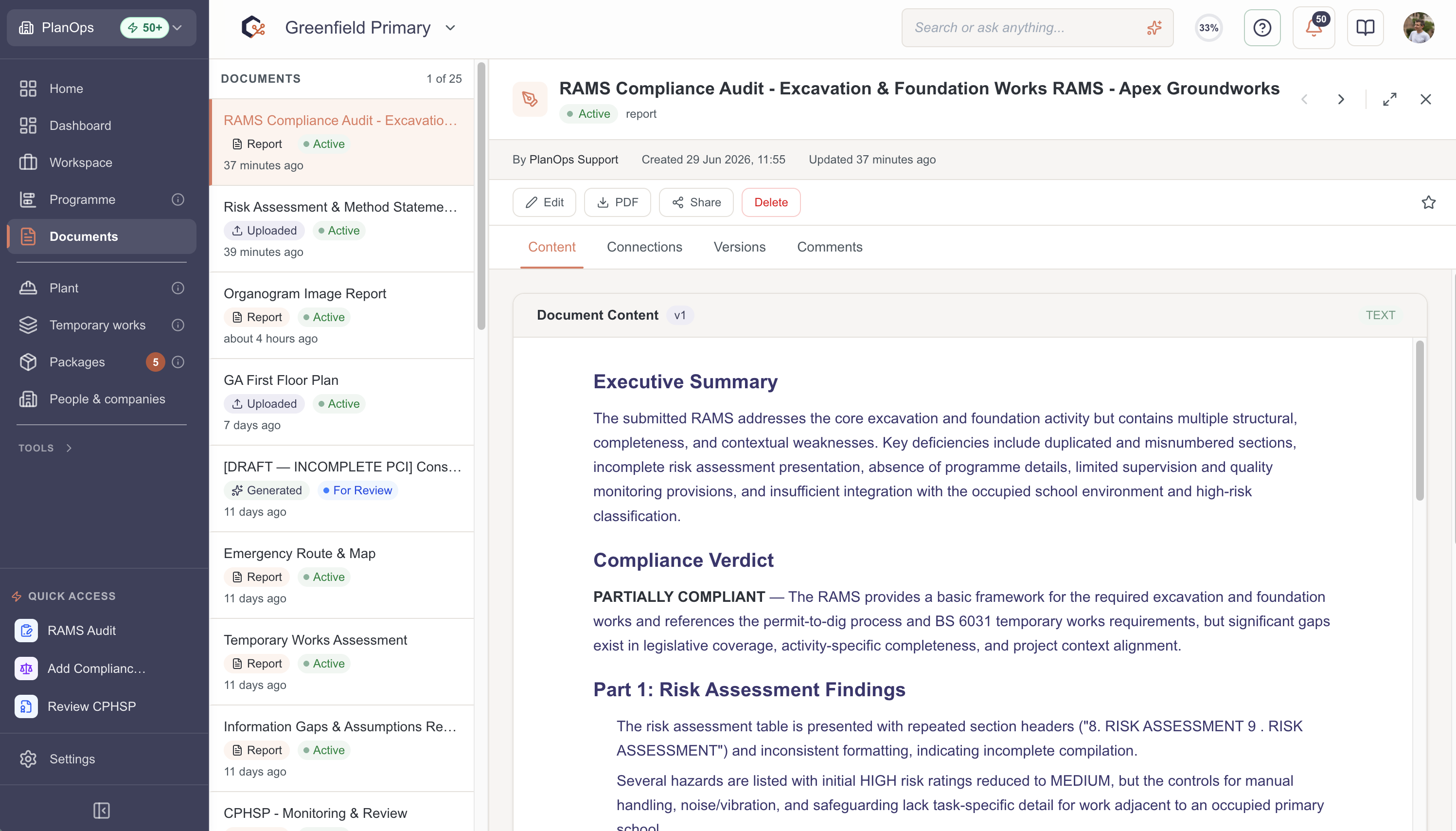
Step 2: Review the current report content
Scroll through the report content in the main preview area to review the content.
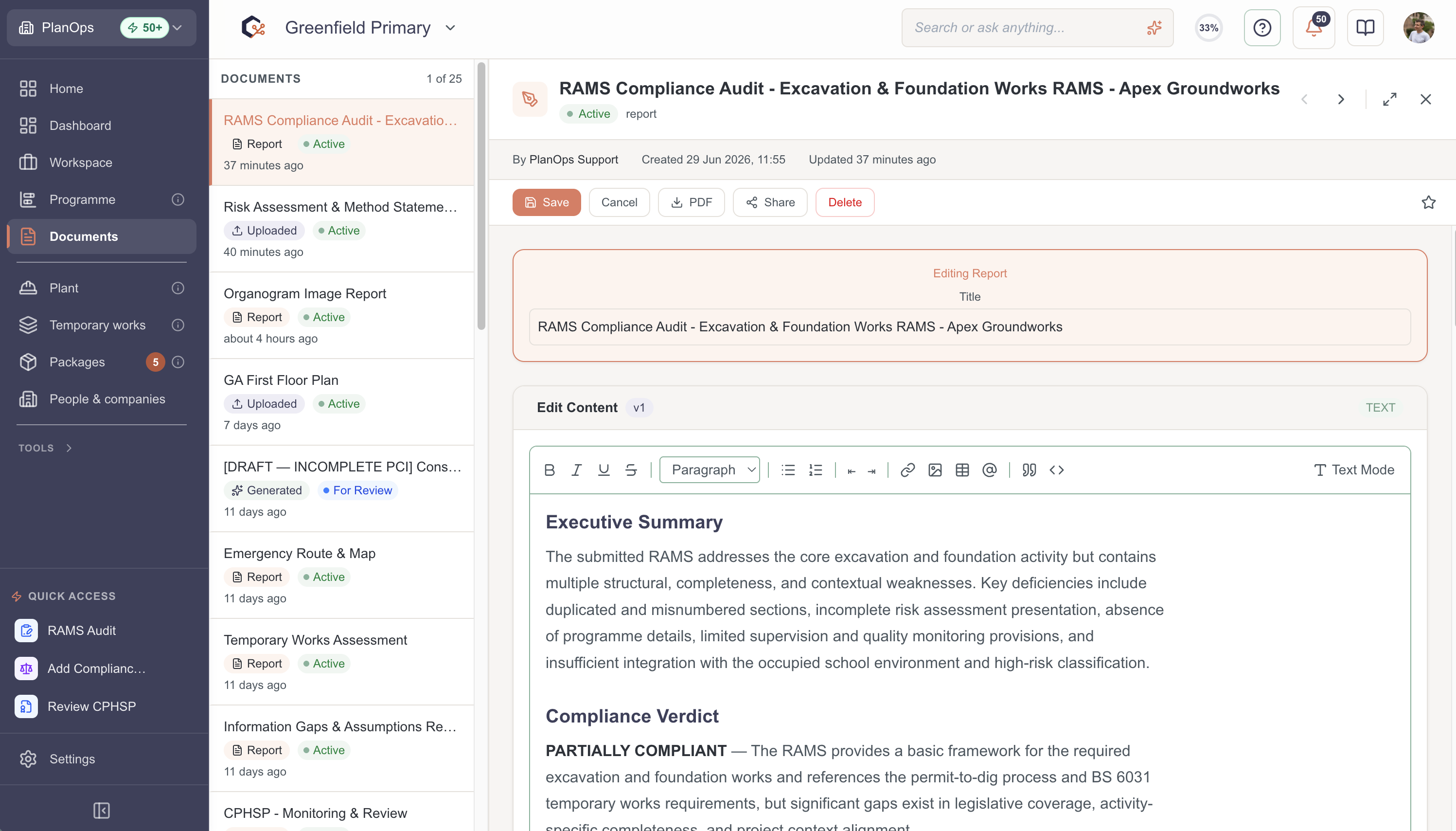
Step 3: Edit the report content
Click on the Edit button, to enable editing of the content. Click Save when to save the edited content.
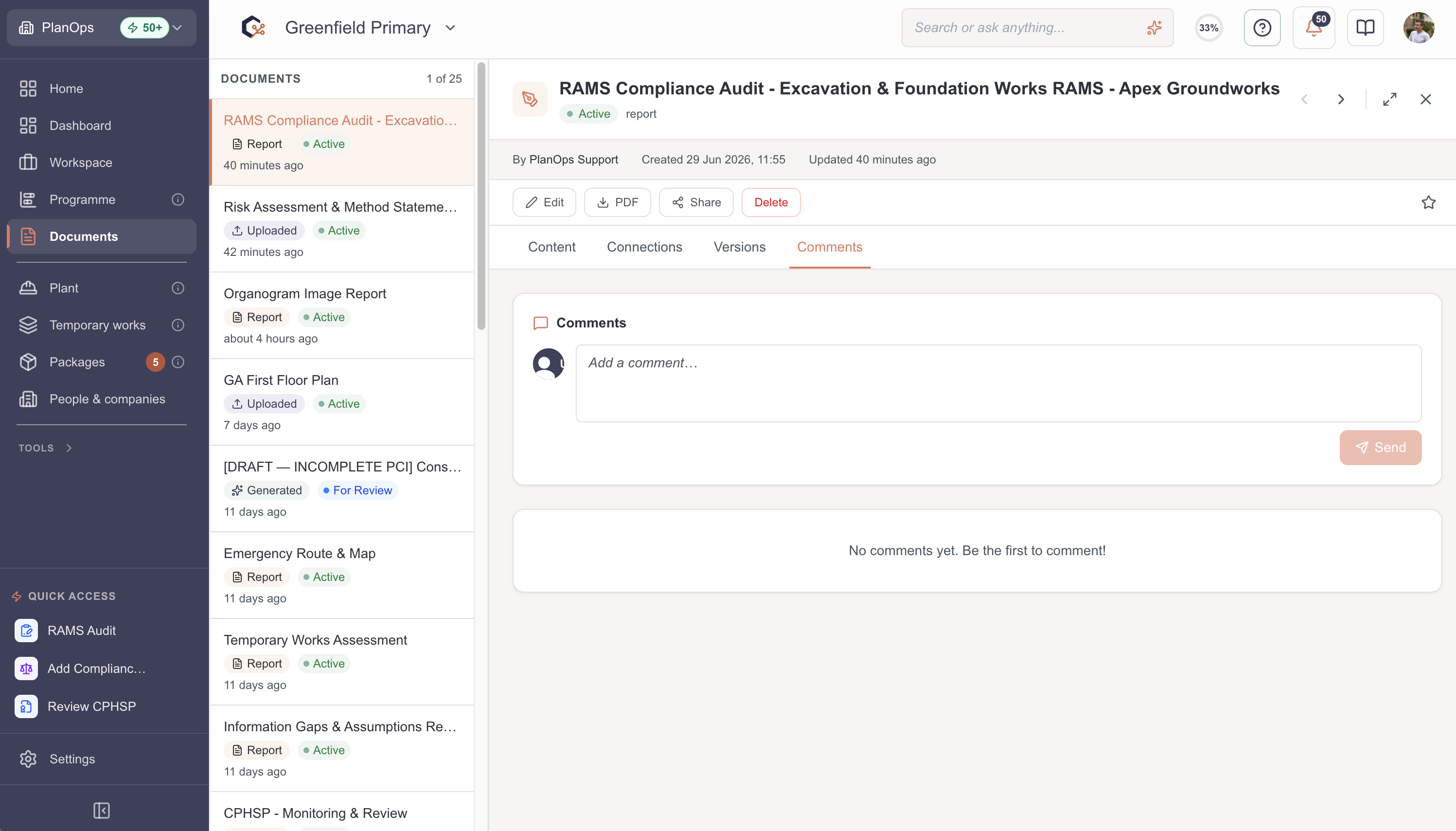
Step 4: Add a new comment
In the comments view, type your feedback or questions into the comment text area and select the send/submit button to post your comment under your name.
Step 5: Review previous report versions
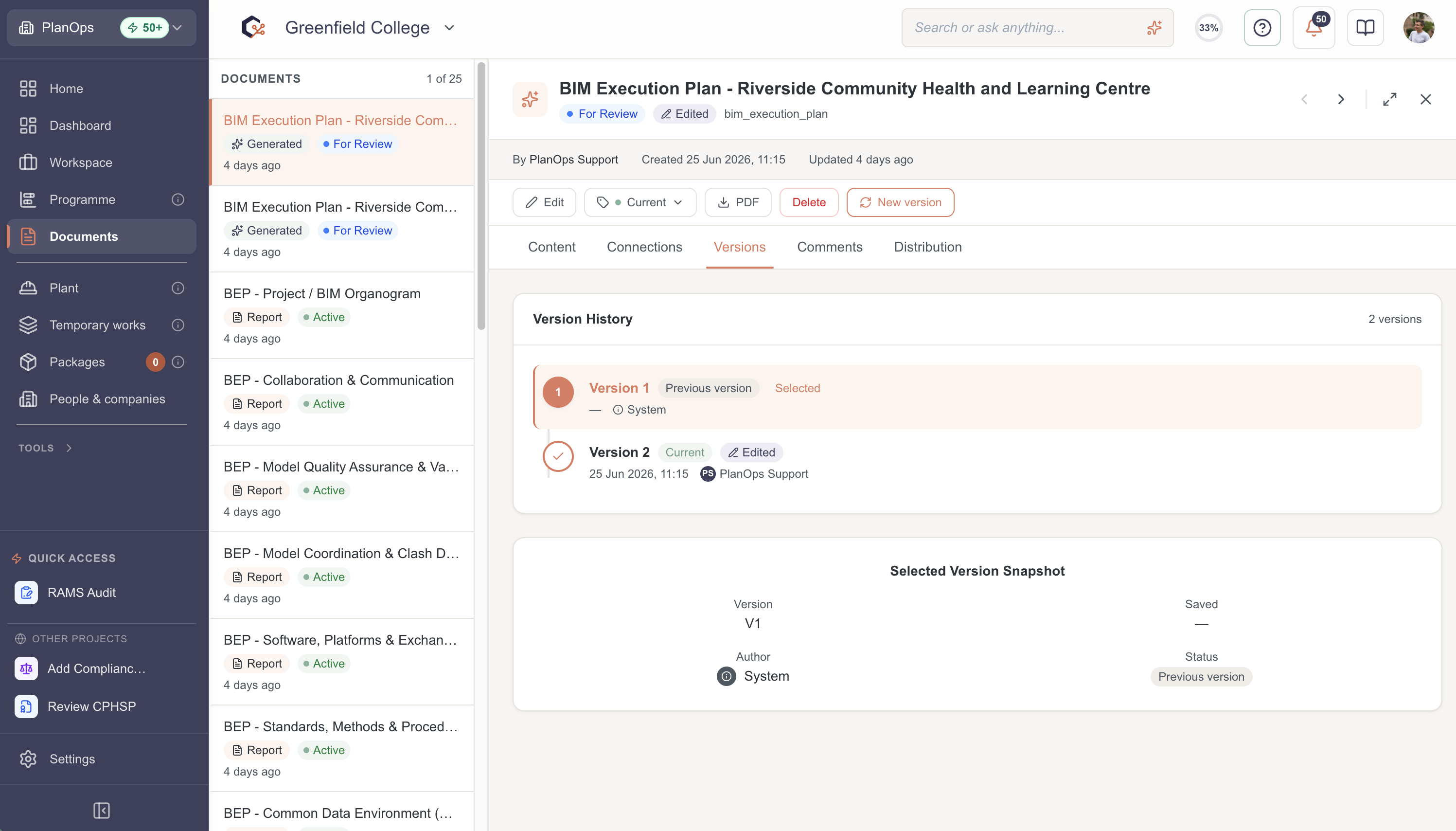
Open the versions control in the panel, select an earlier version number and review the historic content to compare changes between versions.
Step 6: Download the report as a PDF
Select the download option (Download button or icon) to export the current report version as a PDF file and save it to your device.

Step 7: Share the report with project members
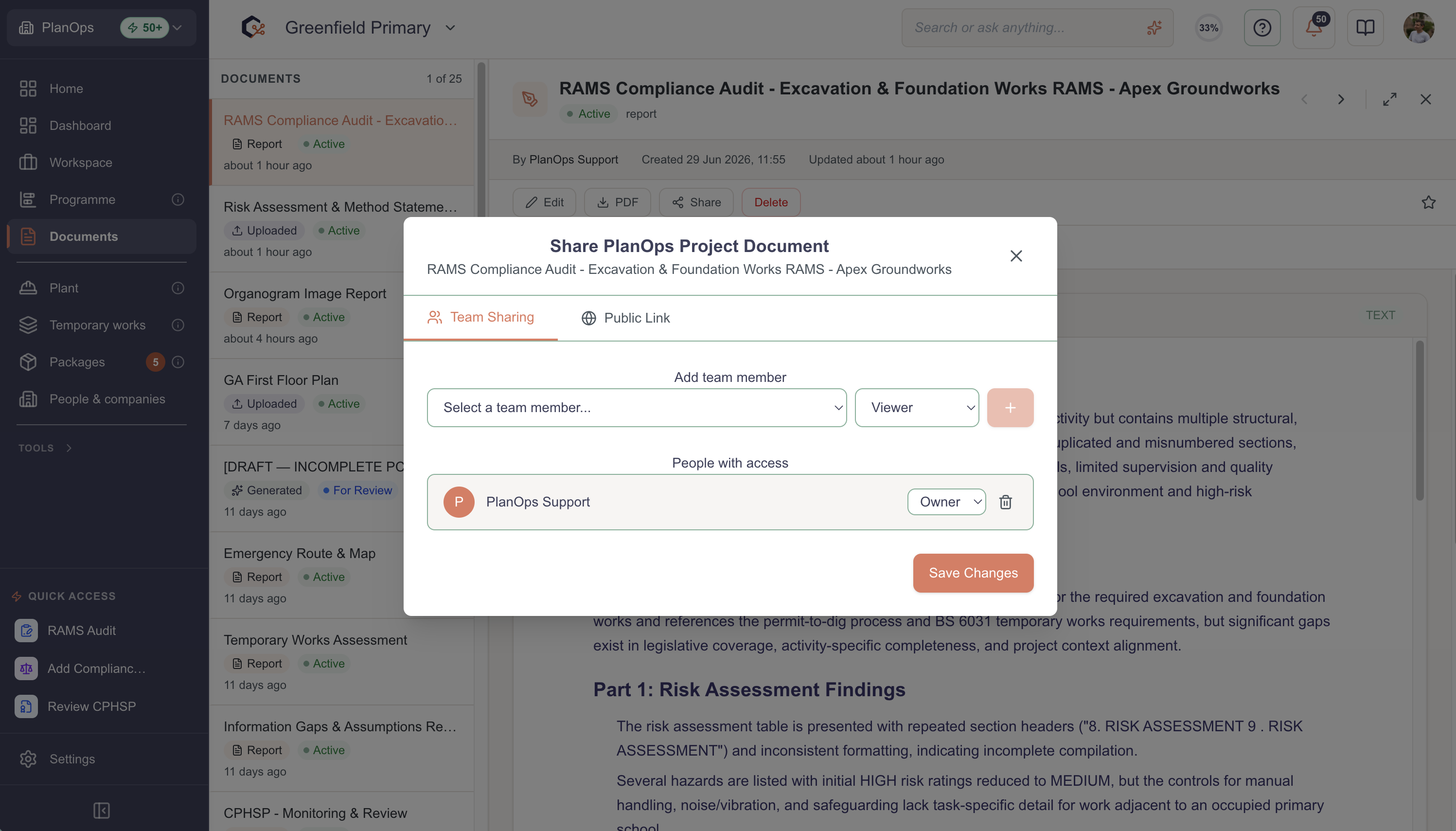
Click the share button to open the share dialog, configure who should have access, and confirm to send or update the sharing settings for the report.
Step 8: Close the report detail view
When you have finished reviewing and commenting, use the right hand close 'X' button in the header to return to the main reports area.

Last updated: 2026-02-06T00:00:00.000Z