Get a new project ready for site
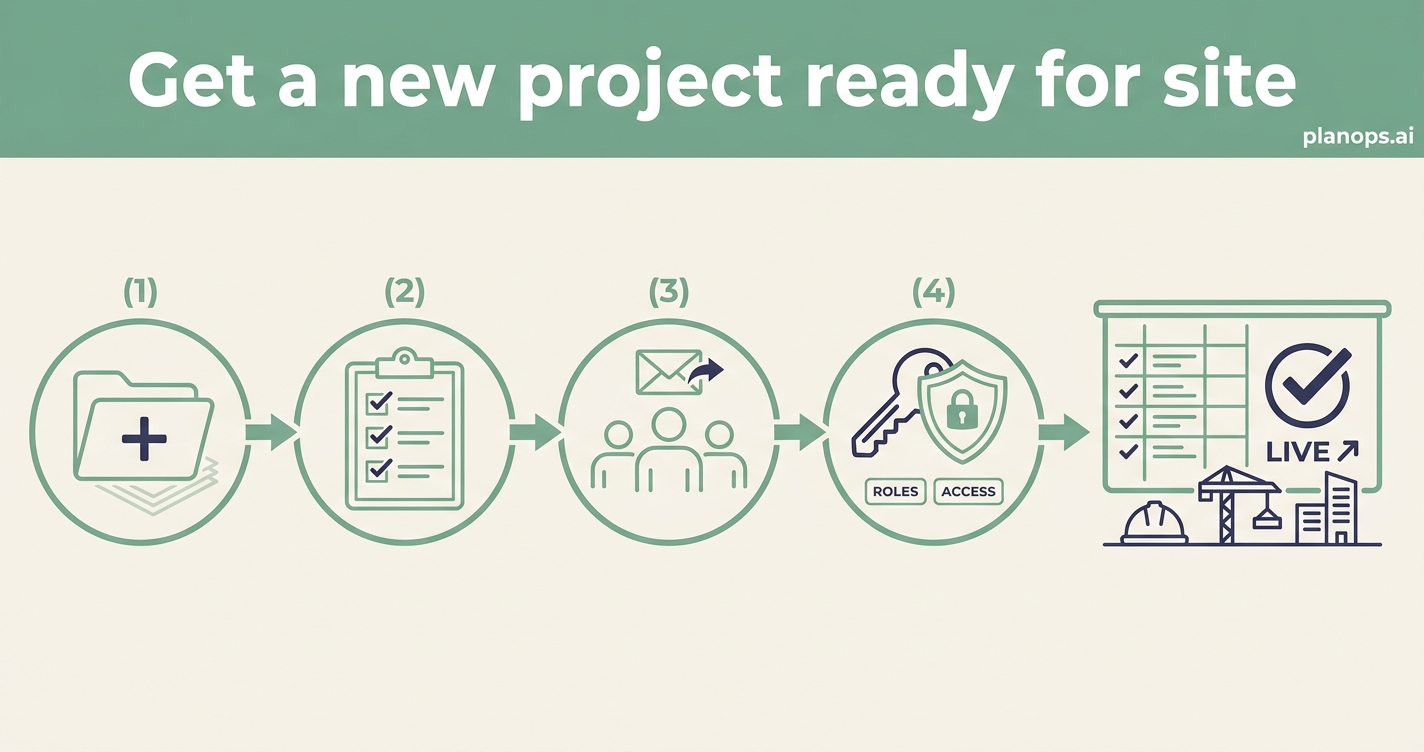
Go from an empty workspace to a project your whole team can work in — set up, populated and permissioned — in one sitting.
A live project with the right people, roles and access in place.
A configured project with your team invited, roles assigned and access scoped correctly — ready for documents, drawings and site activity from day one.
Time: ~15 minutes · Level: beginner · Steps: 4
Steps
Step 1: Create the project
Start with the essentials — name, location and key details — so the project exists and everything else has somewhere to live.
Full guide: Add a new project
Step 2: Complete the guided setup
Work through the setup checklist so nothing foundational is missed before the team arrives and real work begins.
Full guide: Use the project setup banner to finish onboarding
Step 3: Invite your team
Bring in colleagues and external collaborators so the right people have access from the outset, not weeks into the job.
Full guide: Invite someone to your project
Step 4: Assign roles and access
Set who can see and do what, so each person has exactly the access their role needs — and nothing they shouldn't.
Full guide: Manage people on a project
Related workflows
Last updated: 2026-06-07